
MP3 Downloader - Music Player
Super Music Player DownloaderMusic & Audio
4.318.57K Reviews
- Version
- 20260509
- Installs
- 100.00M
- Age Rating
- Teen
Screenshots
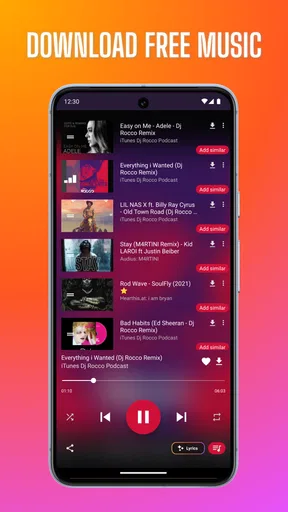
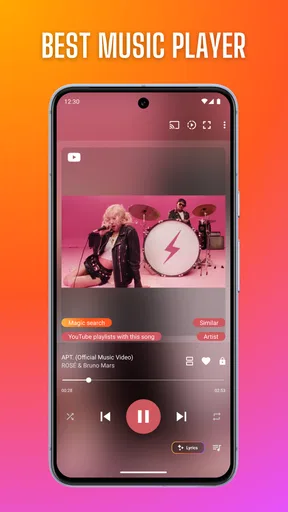
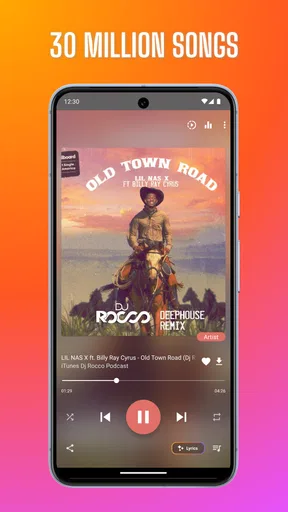
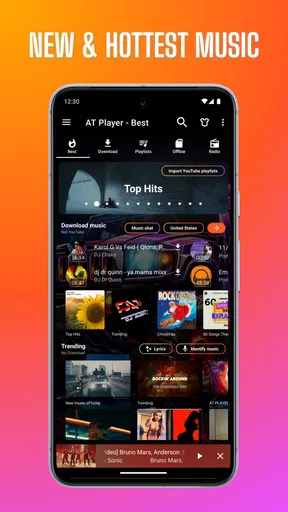
Our Review of MP3 Downloader - Music Player
 Analysis by Appyee
I judge music apps by a practical question: will they make it easier to find something to listen to, and will the listening still work for me when I am away from a connection? MP3 Downloader - Music Player brings search, downloads, playlists and playback together, so it is aimed at people who want one place to manage a personal music queue rather than constantly hopping between services. I would consider it when offline listening and a simple workflow matter more than a large, polished streaming library.
Who will get the most from it
It makes the most sense for someone who already knows what they want to hear and likes keeping selected tracks close at hand. Think of a commute through areas with patchy reception, a workout where you would rather not depend on mobile data, or a small collection of familiar songs for a trip. Searching for a track and keeping playback inside the same app can be more convenient than finding audio in one place and opening a separate player for it.
A useful habit is to prepare a playlist before leaving home, then check that the tracks you expect to play are actually available offline. That small check matters: a download-oriented app is only helpful on a no-signal journey if the files are ready beforehand. I would also make playlists around specific situations, such as a short walk or a longer ride, rather than putting everything into one queue. It saves fiddling with the phone once you have started listening.
Choosing between search, downloads and streaming
The app sits in an interesting middle ground. A mainstream streaming service is usually the simpler choice if you want recommendations, a broad on-demand catalog and listening that follows you across devices. A basic music player is a better fit if you already have an organized library and only need reliable local playback. This app’s appeal is that it combines a way to search for music with a player and offline-oriented use, which may suit people who do not want those steps split across separate tools.
That combination also calls for a little judgment. Search results are not the same thing as a carefully curated catalog, and finding a track does not guarantee that every version or recording will be the one you expected. I would check the title and artist before saving something, particularly when several versions of a song exist. For listeners who care about a specific album edition, consistent library metadata or recommendations, a dedicated streaming or library-management app may feel more dependable.
It is also worth being sensible about what you download and where it comes from. I would use the app only for music I am entitled to access, and avoid treating a download button as permission to copy any recording. If your priority is a licensed catalog with clear, familiar listening options, a conventional streaming service is the safer, more straightforward choice. The downloader workflow is best for people who understand what they are saving and want to organize their own listening deliberately.
Small workflow choices that make a difference
One non-obvious trade-off is that convenience can make a collection messy. Search and save without a naming or playlist habit, and it can become harder to remember which tracks you wanted for a particular activity. I would add songs to a focused playlist as I go, then use that playlist as a quick check before a trip. This is more useful than relying on a long undifferentiated download history when you are in a hurry.
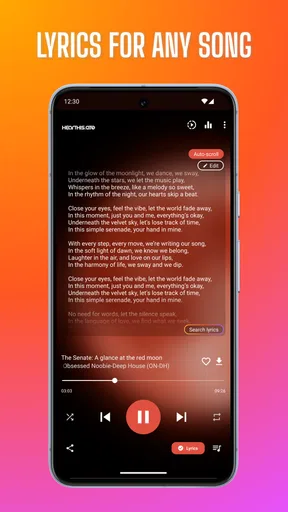
Lyrics can also change how I use a music app. They are handy when I want to follow a song closely or remember a line, but they are not a substitute for a dedicated lyric reference if exact wording is essential. Similarly, a built-in player reduces app switching, but it does not automatically make the app the best choice for every listening setup. If you depend on advanced library tools or a listening experience tailored to a particular ecosystem, your usual player may still be the more comfortable home for your music.
What to expect before installing
This is a free music and audio app from Super Music Player Downloader, with a Teen content rating. Its average rating is 4.3 from around 613,000 ratings, and it has passed 100 million installs. Those figures suggest that many people have tried it, but they do not tell me whether its search and playback habits will suit a particular listener. The current version is 20260509, and it requires Android 6.0 or later. In-app purchases range from $0.99 to $99.99 per item, so I would check the purchase details shown in the app before committing to anything.
For a new user, the main question is not simply whether it is free to install; it is whether the combined workflow is worth keeping. I would start with a few searches, try the player with a short playlist, and see whether the app fits the way I actually listen. If you only want to stream whatever is popular at the moment, this may be more management than you need. If you want selected tracks ready for offline listening, the extra control could be exactly the point.
There is a real switching cost if you already have playlists and listening habits in another app. I would not move an entire music routine at once. Try one use case first, such as a workout playlist or a travel queue, and see whether search, saving and playback feel comfortable. If you like the result, expand from there; if not, you can keep your existing service for everyday listening without forcing a complete change. That low-commitment test is a better way to judge the app than deciding from its feature list alone.
Overall, I see MP3 Downloader - Music Player as a practical option for listeners who want searching, playlist-making and playback brought together, especially when offline access is part of the plan. I would skip it if I mainly wanted curated streaming, a highly managed music library or a familiar subscription-service experience. For someone who prefers a personal collection and is willing to organize it thoughtfully, it is worth trying; just make a small playlist first and confirm that the app’s workflow suits you.
So, I recently got my hands on the MP3 Downloader - Music Player, and let me tell you, it’s quite the little gem for music lovers who want to have their favorite tunes at their fingertips. If you've ever found yourself in a situation where you need to download music quickly and efficiently, this app might just be your new best friend.
Getting Started with MP3 Downloader - Music Player
First things first, let's talk about the setup. Downloading the app is a breeze. I found it on both Android and iOS stores, making it super accessible. Once installed, the interface was surprisingly intuitive. It’s like the developers knew exactly what a music junkie like me would want—clean design, easy navigation, and all the features readily available.
The home screen gives you a welcoming vibe, with options to search for your favorite tracks, explore trending music, and even create playlists. I was up and running, downloading tracks in no time. If you’re the kind of person who doesn’t have the patience for complicated setups, you’ll appreciate how straightforward it is.
Features That Stand Out
One of the features I absolutely love is the in-app search engine. It’s powerful, quick, and accurate. I typed in some obscure tracks, and boom, there they were, ready to download. No more endless scrolling through web pages or dealing with sketchy download sites.
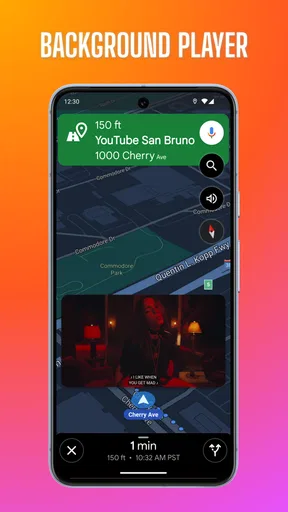
Another cool thing is the built-in music player. You don’t have to switch between different apps to listen to your downloads. It supports multiple formats, which is a lifesaver if you have a diverse music taste like mine. Plus, the sound quality is top-notch. It’s almost like having your own personalized radio station.
Now, let’s talk about playlists. Creating playlists is a breeze, and it’s a feature I use heavily. Whether I’m heading out for a jog or just chilling at home, having my go-to tracks grouped together makes life so much easier.
Exploring the User Experience
Using the app felt pretty seamless. The app is designed to make your music downloading experience as smooth as possible. I never felt lost or confused, which is a big win in my book. The app also doesn’t bombard you with ads, which is rare these days.
Let’s not forget the download speed—it’s impressive. I managed to download a full album in just a couple of minutes. It’s perfect for those moments when you’re in a rush and need your music on the go.
One thing I noticed is that the app doesn’t drain your battery as much as other music downloaders I’ve used. I had it running for a couple of hours, and my phone didn’t feel like it was about to melt, which is always a good sign.
Final Thoughts
All in all, the app is a fantastic app for anyone who takes their music seriously. It’s user-friendly, efficient, and packed with features that genuinely enhance your music experience. Whether you’re an audiophile or just someone who enjoys having a personal soundtrack for life, this app has something for everyone.
So, if you haven’t already, give it a whirl. You might just find it becomes an essential part of your daily routine. Happy listening!
Verdict
Strengths of MP3 Downloader - Music Player
- Easy-to-use interface for quick navigation.
- High-quality audio downloads available.
- Supports multiple file formats.
- Offline listening without interruptions.
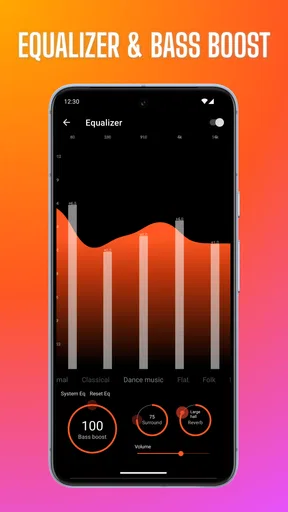
- Built-in equalizer for custom sound.
Limitations of MP3 Downloader - Music Player
- Limited song database compared to competitors.
- Contains ads that can be intrusive.
- Occasional buffering issues during playback.
- Requires internet for initial download.
- No option for creating custom playlists.
Similar Picks in This Category
View All
YouTube Music
Google LLC4.4

Samsung Music
Samsung Electronics Co., Ltd.3.8

Spotify: Music and Podcasts
Spotify AB4.3

JioSaavn - Music & Podcasts
Saavn Media Limited4.3

Lark Player:Music Player & MP3
Lark Player Studio - Music, MP3 & Video Player4.6

StarMaker: Sing Karaoke Songs
SKYWORK AI PTE. LTD.4.3
Frequently Asked Questions
Is MP3 Downloader - Music Player free to use?
Yes, MP3 Downloader - Music Player is free to download and use. However, the app may include optional in-app purchases or advertisements. These features help support the developers and may offer additional functionalities, such as ad-free experiences or premium content access.
Can I download music from any source using MP3 Downloader - Music Player?
MP3 Downloader - Music Player allows you to download music from a variety of sources. However, it's important to ensure that the music you're downloading is legal and respects copyright laws. The app typically supports public domain and royalty-free music for download.
How much storage space does MP3 Downloader - Music Player require?
The app itself doesn't take up much space, but the storage required will depend on the number and size of music files you download. Ensure you have sufficient storage on your device to accommodate your music library, especially if you plan to download high-quality audio files.
Does MP3 Downloader - Music Player support offline listening?
Yes, once you've downloaded music using MP3 Downloader - Music Player, you can listen to it offline. This feature is particularly useful for users who want to save on data usage or listen to their favorite tracks without an internet connection.
Is the app compatible with both Android and iOS devices?
MP3 Downloader - Music Player is available for both Android and iOS platforms. Ensure your device meets the minimum operating system requirements specified in the app store to guarantee smooth performance and access to all features.
